Free courses & portfoliosites; yet only 5% of City Tech's Students used OpenLab
City Tech is a college in Brooklyn, NY with over 13,000 current students and an alumni network spanning over 113,000 members. As their UX Team, we had to figure out why students look past Open Lab's free and extremely valuable features, and redesign the platform to solve the issue
Timeline
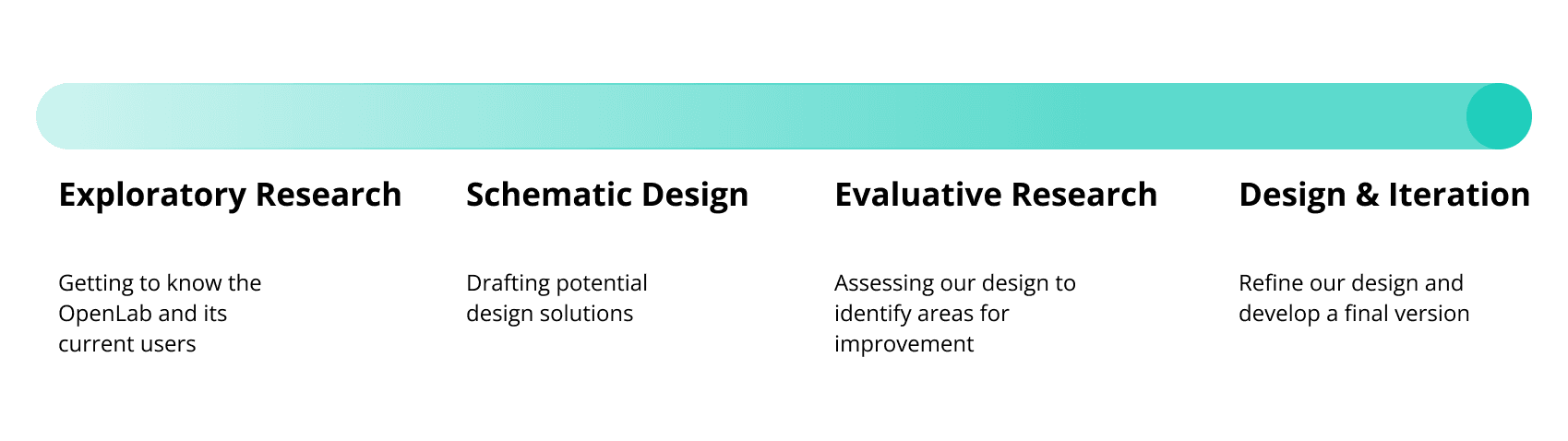
From explorations to final designs in 4 months
Background
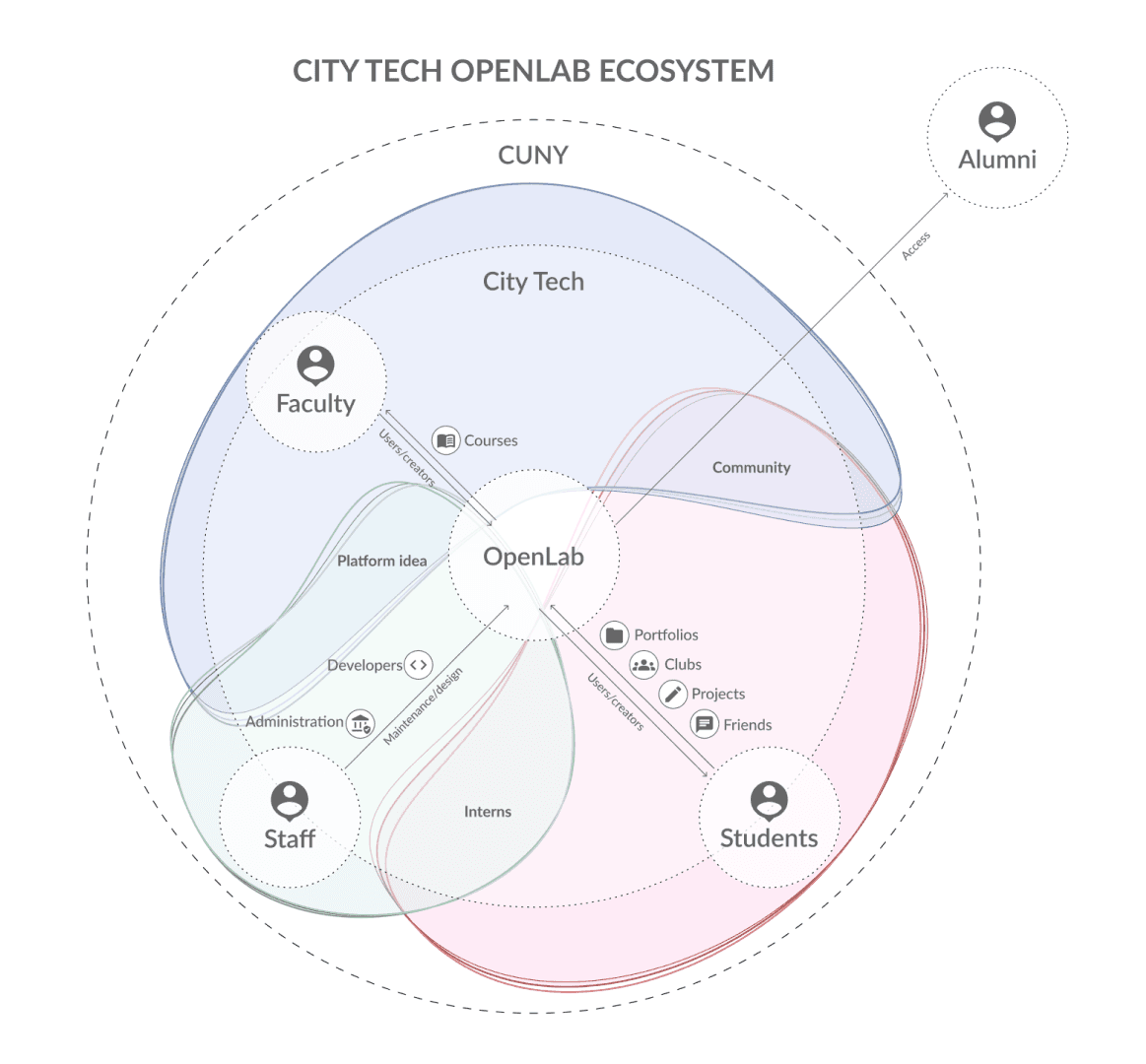
The Open Lab at CUNY's CityTech college is at the intersection of online communities and open learning resources that presents as a hub for all students, faculty, alumni and the public to find courses, clubs, projects and portfolios. The site was last updated in 2016, and is maintained by one developer.
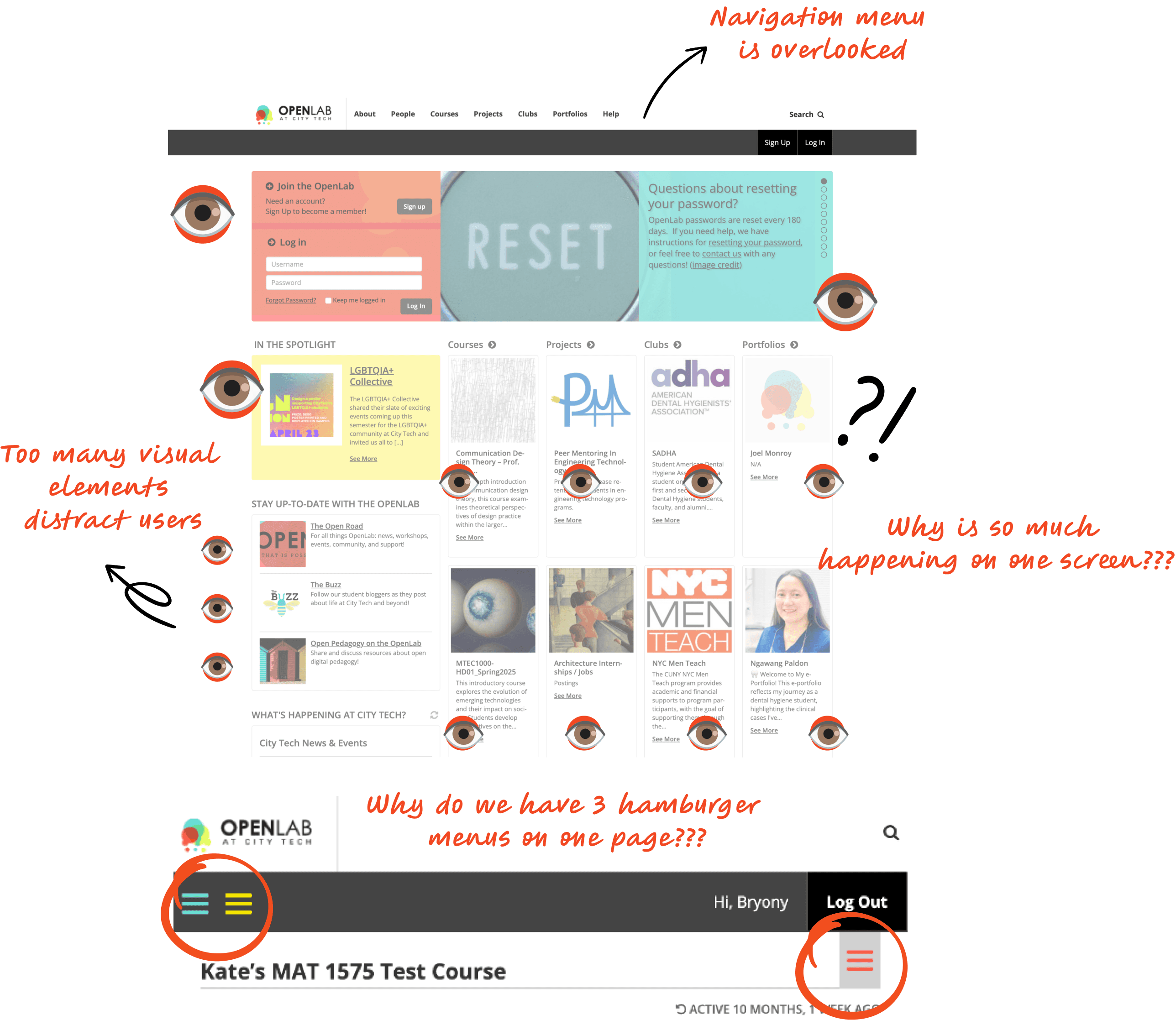
The outdated layout, inconsistent labels, and overloaded interfaces made it difficult to navigate
75% of our stakeholders preferred going to their courses directly, and used the tab navigation more efficiently compared to a stacked overview. They were often confused with filters & labels on course pages.
If it looks modern, will it improve student accessibility and engagement?
Spoiler alert: yes it will.
Spoiler alert: yes it will.
Spoiler alert: yes it will.
Reaching this outcome meant diving deep into research, collaborating with stakeholders, and iterating tirelessly in Figma
By simplifying the structure and modernizing visual elements, we focused on prioritizing clarity to solve most of our user issues!
WE FIXED THE THREE MENU PROBLEM
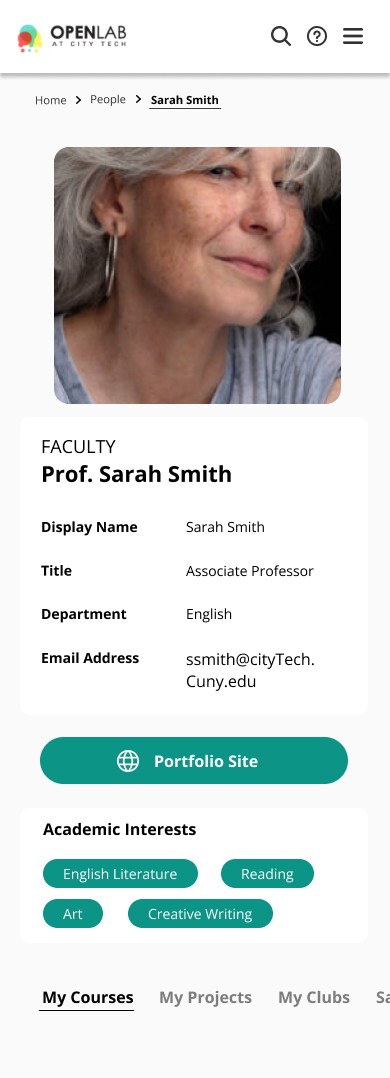
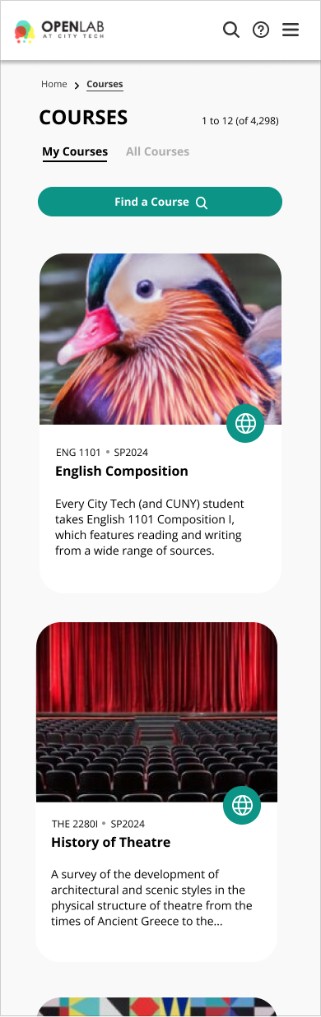
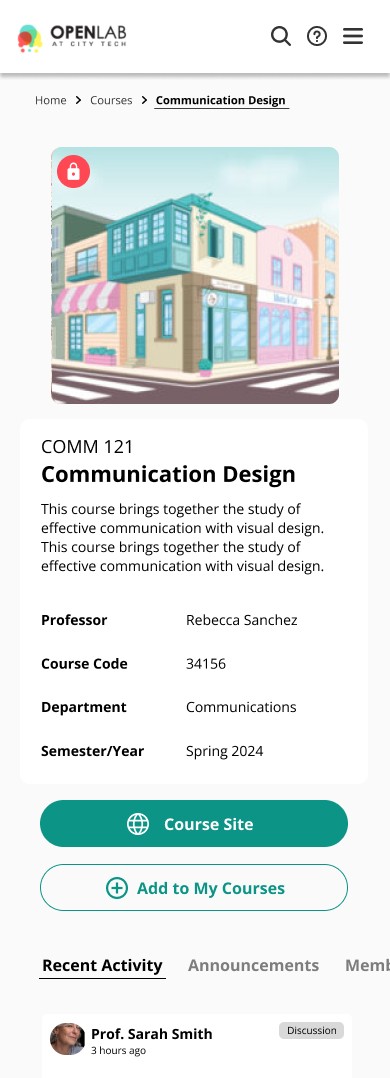
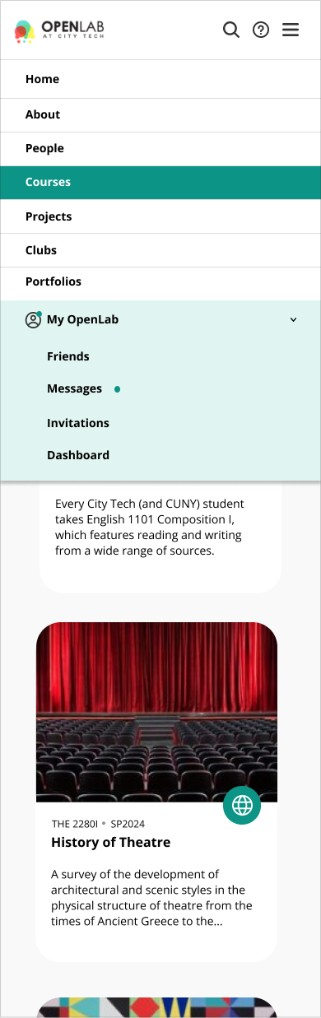
We used tabs to sort in-page menus, created expandable sub menus where it matters, and created dashboard shortcuts
Organized information with hierarchy and navigation tabs
We decided to implement an information hierarchy on the site to enable quick scanning and access. Created bold buttons to direct CTAs.
Upgraded style guide to include modern visual cues
We defined use cases for icons, decluttered the colors and contrast on each interactive element to ensure universal understanding and accessibility.
WE FIXED THE THREE MENU PROBLEM
We used tabs to sort in-page menus, created expandable sub menus where it matters, and created dashboard shortcuts
Organized information with hierarchy and navigation tabs
We decided to implement an information hierarchy on the site to enable quick scanning and access. Created bold buttons to direct CTAs.
Upgraded style guide to include modern visual cues
We defined use cases for icons, decluttered the colors and contrast on each interactive element to ensure universal understanding and accessibility.
WE FIXED THE THREE MENU PROBLEM
We used tabs to sort in-page menus, created expandable sub menus where it matters, and created dashboard shortcuts
Organized information with hierarchy and navigation tabs
We decided to implement an information hierarchy on the site to enable quick scanning and access. Created bold buttons to direct CTAs.
Upgraded style guide to include modern visual cues
We defined use cases for icons, decluttered the colors and contrast on each interactive element to ensure universal understanding and accessibility.
WE FIXED THE THREE MENU PROBLEM
We used tabs to sort in-page menus, created expandable sub menus where it matters, and created dashboard shortcuts
Organized information with hierarchy and navigation tabs
We decided to implement an information hierarchy on the site to enable quick scanning and access. Created bold buttons to direct CTAs.
Upgraded style guide to include modern visual cues
We defined use cases for icons, decluttered the colors and contrast on each interactive element to ensure universal understanding and accessibility.
WE FIXED THE THREE MENU PROBLEM
We used tabs to sort in-page menus, created expandable sub menus where it matters, and created dashboard shortcuts
Organized information with hierarchy and navigation tabs
We decided to implement an information hierarchy on the site to enable quick scanning and access. Created bold buttons to direct CTAs.
Upgraded style guide to include modern visual cues
We defined use cases for icons, decluttered the colors and contrast on each interactive element to ensure universal understanding and accessibility.
WE FIXED THE THREE MENU PROBLEM
We used tabs to sort in-page menus, created expandable sub menus where it matters, and created dashboard shortcuts
Organized information with hierarchy and navigation tabs
We decided to implement an information hierarchy on the site to enable quick scanning and access. Created bold buttons to direct CTAs.
Upgraded style guide to include modern visual cues
We defined use cases for icons, decluttered the colors and contrast on each interactive element to ensure universal understanding and accessibility.
WE FIXED THE THREE MENU PROBLEM
We used tabs to sort in-page menus, created expandable sub menus where it matters, and created dashboard shortcuts
Organized information with hierarchy and navigation tabs
We decided to implement an information hierarchy on the site to enable quick scanning and access. Created bold buttons to direct CTAs.
Upgraded style guide to include modern visual cues
We defined use cases for icons, decluttered the colors and contrast on each interactive element to ensure universal understanding and accessibility.
WE FIXED THE THREE MENU PROBLEM
We used tabs to sort in-page menus, created expandable sub menus where it matters, and created dashboard shortcuts
Organized information with hierarchy and navigation tabs
We decided to implement an information hierarchy on the site to enable quick scanning and access. Created bold buttons to direct CTAs.
Upgraded style guide to include modern visual cues
We defined use cases for icons, decluttered the colors and contrast on each interactive element to ensure universal understanding and accessibility.
Organized information with hierarchy and navigation tabs
We decided to implement an information hierarchy on the site to enable quick scanning and access. Created bold buttons to direct CTAs.
We fixed the hamburger menu problem
We used tabs to sort in-page menus, created expandable sub menus where it matters, and created dashboard shortcuts to ensure fast and direct access.
Upgraded style guide to include modern visual cues
We defined use cases for icons, decluttered the colors and contrast on each interactive element to ensure universal understanding and accessibility.
You can interact with our redesigned prototype here!
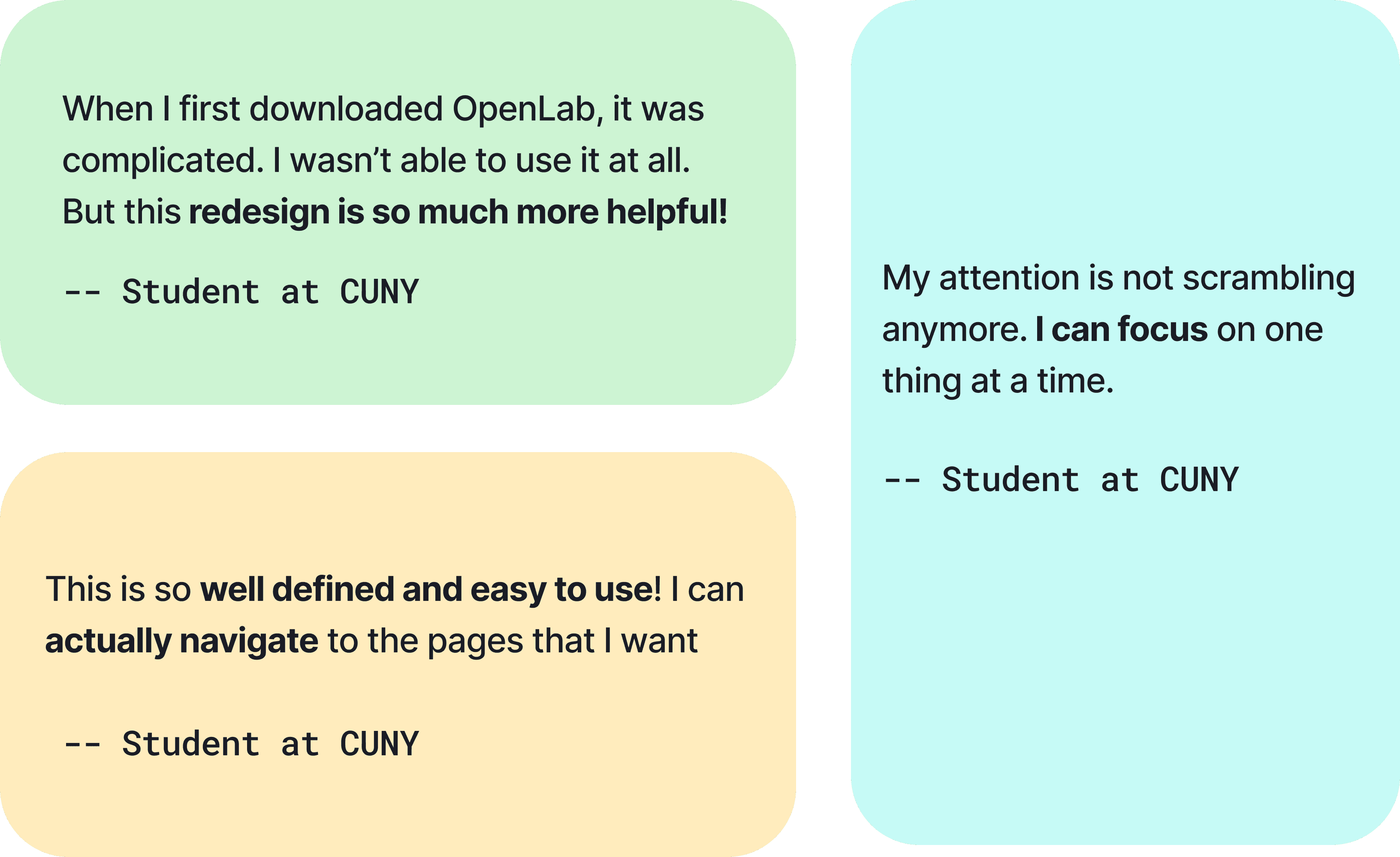
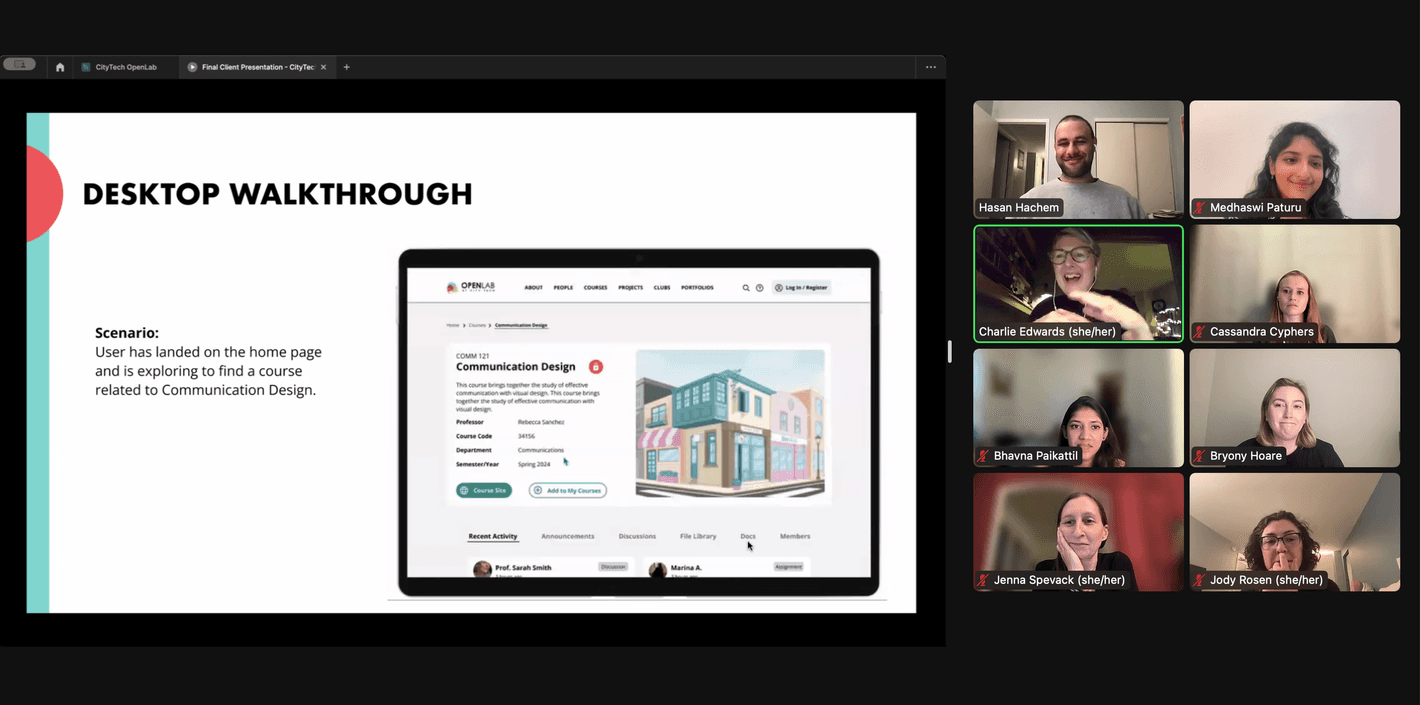
Our stakeholders loved our redesigns, and are taking it back to the board to discuss strategies to implement it!
This project was a rollercoaster, but I learnt great lessons working on a project with great ambitions.
Stakeholder negotiations require listening
This project made me understand the need to empathize with clients and speak their language if you want to communicate your vision and ideas.
Limitations = Practicality
Working within limitations is not a limitation at all! I liked having a fixed scope and it was a fun challenge to fit our ideas a box.